Tag: online sales counselor

  • Missed-Call Text-Back for Homebuilders: Setup, Scripts, and Rules

    Missed-Call Text-Back for Homebuilders: Setup, Scripts, and Rules

    Missed call text back is an automation that sends a short, friendly text to anyone whose call to your sales line goes unanswered. Instead of hoping a buyer leaves a voicemail, your builder starts a text conversation within moments, asks one helpful question, and keeps the lead warm until a sales counselor or AI teammate picks up the thread.

    This guide is for online sales counselors and sales managers: how it works, five copy and paste scripts, a setup checklist, consent basics, and how to measure results.

    Why does missed call text back matter for homebuilders?

    A missed call is a buyer who raised their hand and got silence. Missed call text back turns that silence into a conversation, so the buyer hears from you before they dial the next builder on their list.

    Buyers call from the car after passing your sign, on a lunch break, or on a Saturday when your team is busy in the model. Many will not leave a voicemail. A text lets them reply when it suits them, and gives your team a written record of what they asked.

    Speed to lead wins, but only if the response is useful. A good text back confirms the buyer reached the right builder and asks one question that moves them toward a tour.

    How does missed call text back work in Homebuilder Studio?

    In Homebuilder Studio, missed call text back is built in. When a call to one of your lines goes unanswered, the system sends the text you assigned to that line, logs the lead in the CRM, and routes every reply to the right community and rep.

    • Built in phone system with tracking numbers. Your main sales line, model home line, and realtor line can each carry their own number and script.
    • AI teammates answer 24/7. Homebuilder Studio’s AI agents answer phone, website chat, SMS, Facebook and Instagram around the clock. Missed call text back is the safety net for any call that still slips through.
    • Replies route automatically to the right community and rep.
    • Follow up stops the moment a rep or buyer replies, so nobody gets a canned message mid conversation.

    For the full overnight picture, read our post on after hours leads for homebuilders.

    What should a missed call text back script say?

    A strong script is short, warm, and specific: who you are, an apology for missing the call, one easy question, and a clear opt out line. Keep each message under 300 characters so it reads like a person wrote it.

    Follow these rules for every script:

    1. Name the builder in the first sentence so the buyer knows who is texting.
    2. Ask one question only. Two questions get zero answers.
    3. Point toward a tour, a home, or a community.
    4. Write in your builder’s voice.
    5. Include “Reply STOP to opt out” in the first message of a new conversation.
    6. Skip links in the first text. Earn the reply first.

    Script 1: Main sales line during business hours

    Hi, this is [Name] with [Builder]. Sorry I missed your call! I’m with another family right now. Are you asking about [Community], a specific home, or a tour? Text me here and I’ll get you answers fast. Reply STOP to opt out.

    Script 2: After hours

    Thanks for calling [Builder]! Our sales office is closed for the night, but we can still help by text. Ask about homes, pricing, or tour times at [Community] and we’ll reply right here. Reply STOP to opt out.

    Script 3: Model home line

    Hi from the [Community] model home! Sorry we missed you. We may be walking another family through the model. Would you like to book a private tour or get directions and today’s hours? Just reply here. Reply STOP to opt out.

    Script 4: Realtor caller

    Thanks for calling the [Builder] agent line! Sorry we missed you. Text us the community or homesite and your client’s timeline, and we’ll send available homes, specs, and showing times. We love working with agents. Reply STOP to opt out.

    Script 5: Weekend

    Happy weekend from [Builder]! Sorry we missed your call. Our [Community] model is open today until [Time]. Stop by anytime, or reply here and we’ll hold a tour time that works for you. Reply STOP to opt out.

    Want these scripts running on your own numbers? Schedule a demo and we will walk you through text back, routing, and your AI teammates.

    How do you set up missed call text back?

    Map your phone lines, write one script per line, decide who owns each reply, and test every path before buyers see it.

    1. List every inbound number. Sales line, model homes, realtor line, and tracking numbers on ads and signs.
    2. Assign a script to each line. Match the message to why someone would call that number.
    3. Set hours per line. Decide when after hours and weekend scripts take over.
    4. Map routing. Name the community, rep, and backup that own replies from each line.
    5. Confirm the stop rule. Make sure automated follow up pauses as soon as a rep or the buyer replies.
    6. Complete carrier registration. Register your business texting with US carriers through A2P 10DLC before you send at scale.
    7. Test every path. Call each line during and after hours, reply, reply STOP, and confirm the CRM logs each step.
    8. Review weekly. Read real conversations and tighten weak scripts.

    What are the rules for consent, opt out, and quiet hours?

    Send only relevant messages, honor STOP immediately, respect quiet hours, and register your texting with US carriers. These are general practices, not rules tailored to your situation.

    • Consent. A single reply to a buyer who just called you is a natural response. Ongoing marketing texts are different. Collect clear consent before adding anyone to those.
    • Opt out. Include “Reply STOP to opt out” in the first message, and when someone replies STOP, stop texting them across every number and rep.
    • Quiet hours. Avoid automated texts late at night or early in the morning in the buyer’s time zone. Rules can vary by state, so set conservative hours.
    • A2P 10DLC registration. US carriers expect businesses texting from standard 10 digit numbers to register their brand and use case. Unregistered traffic can be filtered or blocked.

    This is general information, not legal advice; check with your counsel.

    How should replies be routed, and when should automation stop?

    Every reply should land with one clear owner, the rep or community team responsible for that line, and automation should step aside the moment a human conversation begins.

    Routing by line keeps context intact: a reply to the model home number goes to that community’s team, and a reply on the realtor line goes to whoever supports agents. Because follow up stops the moment a rep or buyer replies, nobody gets a scripted nudge after they have already answered. If you want a deeper look at how each AI teammate hands work to your team, see AI agents for homebuilders.

    How do you measure missed call text back?

    Measure two things first: how many text backs get a reply, and how many of those conversations become booked tours. Compare scripts and lines against your own history, not outside benchmarks.

    MetricWhat it tells youHow to use it
    Text backs sentHow many calls went unansweredSpot lines or time slots that need more coverage
    Reply rateWhether the script invites a responseRewrite scripts that get few replies
    Time to first human responseHow fast your team picks up the threadTighten routing and backup coverage
    Tours booked from text conversationsWhether the conversations move buyers forwardCompare lines, communities, and scripts
    Opt outsWhether messages feel welcomeReview tone, timing, and frequency if this rises

    Frequently asked questions about missed call text back

    What is missed call text back?

    Missed call text back is an automation that sends a short text to anyone whose call to your sales line goes unanswered. The text names your builder, apologizes for missing the call, and asks one helpful question. It turns a missed call into a written conversation your sales team can pick up, instead of a voicemail that may never come.

    Is missed call text back included in Homebuilder Studio?

    Yes. Missed call text back is built into Homebuilder Studio alongside the built in phone system and tracking numbers. Each line can carry its own script, replies route to the right community and rep, and follow up stops the moment a rep or buyer replies. Founder pricing starts at $495 per month; see the pricing page for plan details.

    How long should a missed call text back message be?

    Keep it under 300 characters. That is enough room to name your builder, apologize for missing the call, ask one question, and include an opt out line. Longer messages start to read like marketing copy, and buyers are less likely to reply. Read every script out loud and cut anything that does not help the buyer answer.

    Do I need consent to send a missed call text back?

    A buyer who calls you has started a conversation, and a single reply about that call is a common, natural response. Ongoing marketing texts are different and call for clear consent first. Always include opt out language and honor STOP right away. This is general information, not legal advice; check with your counsel for your situation.

    What is A2P 10DLC registration?

    A2P 10DLC is the US carrier registration process for businesses that send texts from standard 10 digit phone numbers. You register your brand and describe how you use texting. Carriers may filter or block unregistered business texts, so complete registration before you turn on missed call text back or any other automated messaging at scale.

    What happens when a buyer replies to the text?

    In Homebuilder Studio, the reply lands in the shared inbox and routes to the right community and rep. Automated follow up stops as soon as the buyer or a rep responds, so the conversation stays human. Your team sees the full thread in the CRM, including which line the buyer called and what they asked.

    Should realtors get a different text back script?

    Yes. Agents want specifics fast: available homes, specs, pricing, and showing times. Give your realtor line its own tracking number and its own script so agent calls never get a buyer focused message. Route those replies to whoever supports agents, so they get a direct answer instead of a generic sales follow up.

    How do I know if missed call text back is working?

    Start with reply rate and tours booked from text conversations. Then look at time to first human response and opt outs. Compare results by line and by script over several weeks rather than against outside benchmarks. If a script gets few replies, rewrite the question; if replies sit, tighten routing and backup coverage.

    Ready to stop losing buyers to voicemail? Homebuilder Studio pairs built in missed call text back with AI teammates that answer 24/7 and a homebuilder CRM that routes every reply to the right community and rep. It is built by CEA Marketing Group, with three decades in homebuilder marketing behind it. Review pricing, then book your personalized demo to see these scripts running on a setup built around your communities.
  • Alternatives to Hiring an Online Sales Counselor: AI OSC vs. Another Hire vs. Outsourcing

    Alternatives to Hiring an Online Sales Counselor: AI OSC vs. Another Hire vs. Outsourcing

    The main alternatives to hiring an online sales counselor are outsourcing to an OSC service, deploying an AI online sales counselor, running a hybrid where AI covers after hours, speed and volume while people own relationships and tours, or letting existing reps cover leads part time. For most builders, the hybrid is the strongest fit.

    This guide compares all five options fairly. For each one we cover strengths, limits, coverage hours, ramp time, what you control, and how the cost is structured. We do not quote salaries or vendor fees, because those vary by market and contract. We do show the cost components, so you can price each option with your own numbers.

    A note on bias: Homebuilder Studio sells an AI online sales counselor. We have also spent decades marketing homes alongside human OSCs, and we think the best answer for many builders includes both.

    How do the five options compare?

    Option Strengths Limits Coverage hours Ramp time What you control Cost structure
    Hire another in house OSC Deep product knowledge, judgment, relationship building, part of your culture One person, one schedule; turnover takes knowledge with it Their working hours, minus time off Recruiting plus training on communities, plans, pricing and process Everything: hiring, scripts, priorities, CRM habits Salary, benefits, recruiting, training, management time, turnover and rehiring
    Outsource to an OSC service Trained counselors, established process, no hiring burden Less product depth; your brand voice is shared with other clients’ work Set by the contract; often wider than one employee Onboarding the provider to your communities and handoff rules Goals and handoff rules; less control over who answers and how Monthly retainer, per lead or per appointment fees, setup, contract term
    AI online sales counselor Instant answers on every channel, every hour, at any volume; consistent qualification Does not tour, build trust in person, or handle nuance that needs a human 24/7 on phone, chat, SMS, Facebook and Instagram Configuration and testing; single community builders are often live in about a month The knowledge base, pricing, incentives, qualification questions and handoff rules Monthly subscription plus one time setup; with Homebuilder Studio, no per user or per conversation AI fees
    Hybrid: AI plus humans AI handles speed and volume; people handle relationships and tours Needs a clear handoff process and a team that works the CRM 24/7 first response, human follow through during sales hours AI setup plus a short process change for the team Both the AI rules and the human playbook AI subscription and setup, plus your existing or planned headcount
    Do nothing; reps cover leads part time No new spend; reps know the product Leads wait during tours, nights and weekends; follow up slips Whenever a rep has a free moment None In theory everything; in practice whatever time allows No new line item; the hidden cost is lost leads and rep time pulled from onsite buyers

    Should you hire another in house online sales counselor?

    Hiring another in house OSC makes sense when you need more human judgment and relationship building, not just faster answers. A great OSC knows your communities, your plans and your buyers, and that depth is hard to replace. The tradeoff is cost, coverage limited to one person’s schedule, and the risk of losing that knowledge when they leave.

    Human OSCs do work that matters. They read a buyer’s hesitation, connect a family to the right homesite, and keep a realtor happy. If your bottleneck is the quality of conversations rather than the speed of the first reply, another skilled counselor may be the right move.

    Cost structure: salary or salary plus commission, benefits and payroll costs, recruiting time or fees, training time from your sales manager, ongoing management, and the cost of turnover when you start over.

    Watch for: a second OSC doubles your weekday coverage but does not cover 9 PM on a Saturday unless you schedule for it. Vacations, sick days and resignations still create gaps.

    Should you outsource to an online sales counselor service?

    Outsourcing to an OSC service is a good alternative when you want trained human counselors without recruiting, training or managing them yourself. Providers bring a tested process and often wider hours than a single employee. The tradeoffs are less control over who speaks for your brand and less depth on your specific product.

    Many outsourced teams are skilled and professional, and some now pair their counselors with AI tools. Before you sign, ask how they learn your communities, how fast they respond after hours, who owns the lead data, and how leads hand off to your onsite team.

    Cost structure: a monthly retainer, per lead or per appointment fees, setup or onboarding charges, and a contract term. Ask how pricing changes as lead volume rises.

    Watch for: response time commitments, how they handle questions they cannot answer, and whether every conversation lands in your CRM where your team can see it.

    What does an AI online sales counselor replace, and what does it not?

    An AI online sales counselor replaces the first response gap, not the human relationship. It answers every inquiry instantly on phone, website chat, SMS, Facebook and Instagram, qualifies the buyer, books a tour into a real calendar opening, and hands the lead to a person with full context. It does not tour, negotiate, or build trust face to face.

    Homebuilder Studio runs this job with seven AI teammates. The Lead Qualifier asks about community, timeline, price range and realtor status. The Appointment Setter books tours. The Follow Up Agent keeps nurturing buyers who are not ready yet. Realtor Support gives agents instant answers on available homes, specs, pricing and incentives. The AI is trained only on your approved knowledge base, so it quotes your pricing and incentives, not guesses. For a deeper definition, read what an AI online sales counselor is.

    Cost structure: a monthly subscription and a one time setup fee. Homebuilder Studio founder pricing is $495, $697 or $1,197 per month depending on communities, lead volume and team size, with AI agents included and no per user or per conversation AI fees. Setup is quoted during the demo. See the full breakdown on our pricing page.

    Watch for: any AI tool that sits outside your CRM, guesses at pricing, or cannot hand off cleanly. Ask to see the handoff, not just the chat.

    Want to see the handoff for yourself? Book a demo and we will walk a lead from first message to booked tour using your communities.

    Why is a hybrid of AI and human counselors often the best answer?

    A hybrid works because AI and people are good at different parts of the same job. AI covers after hours, speed and volume, so no inquiry waits. Humans own relationships, onsite tours and the judgment calls that close a sale. Your OSC stops chasing every new form and spends time with buyers who are ready to talk.

    AI doesn’t replace the human touch. It protects it.

    Here is how a hybrid typically divides the work:

    1. AI answers first. Every call, chat, text and social message gets an instant reply, day or night.
    2. AI qualifies and books. Community, timeline, price range and realtor status are captured, and the tour lands on a real calendar.
    3. Humans take over with context. Your OSC or onsite rep sees the full conversation and the answers before they ever call.
    4. People close. Tours, design conversations, negotiation and contracts stay human.

    Cost structure: the AI subscription and setup, plus the headcount you already have or plan to keep. Many builders use a hybrid to delay or avoid the next hire, or to let one OSC cover more communities. That is a decision to make with your own numbers.

    Watch for: the hybrid only works if the handoff is clean and the team trusts what the AI captured. Homebuilder Studio puts the AI and the CRM in one system, with a pipeline per community, so the conversation and the lead record live in the same place.

    What happens if you do nothing and let reps cover leads part time?

    Doing nothing means onsite reps answer online leads between tours, appointments and paperwork. It costs nothing new, and reps know the product. The real cost is hidden: leads wait while reps are with buyers, nights and weekends go unanswered, and follow up slips when the model home gets busy.

    This can work for a small builder with low lead volume and a disciplined team. It breaks when volume grows, when you add a community, or when your best rep is splitting attention between a family in the model and a phone that keeps ringing.

    Cost structure: no new line item. The costs are leads that go cold, rep time pulled away from onsite buyers, and no clear record of which leads were worked.

    Watch for: if you cannot answer “how many leads came in after 6 PM last month, and how fast did we respond?”, you do not yet know what this option is costing you.

    Which option fits your builder?

    The right answer depends on your size, lead volume and how your sales team is already stretched. Use this as a starting point, not a rule.

    Single community builders

    You probably have one or two people doing everything. Hiring a dedicated OSC may be more headcount than your volume supports, and doing nothing leaves nights and weekends dark. An AI online sales counselor covering first response, with your onsite rep owning tours, is often the most practical fit. Homebuilder Studio’s Starter plan is built for one community, up to 250 leads a month and one to three salespeople, at $495 per month founder pricing with two AI agents.

    Builders with 2 to 5 communities

    This is where gaps multiply. One OSC covering several communities is stretched, and reps covering leads part time miss inquiries during busy weekends. A hybrid is usually the best fit: AI handles every first response and books tours by community, while your OSC focuses on qualified buyers and realtor relationships. The Professional plan covers two to five communities, 250 to 1,000 leads a month and four to eight salespeople, at $697 per month founder pricing with five AI agents.

    Production and multi division builders

    You may already have an OSC team or an outsourced service. The question is less “AI or people” and more “where does each fit.” AI can absorb after hours and peak volume across divisions so your counselors work the leads that need them most. Homebuilder Studio can run as the front door alongside your existing CRM or builder ERP, or replace it. The Premium plan covers six or more communities, 1,000 or more leads a month and nine or more salespeople, at $1,197 per month founder pricing with all seven AI agents. Learn more in our guide to AI agents for homebuilders.

    Frequently asked questions

    What are the alternatives to hiring an online sales counselor?

    The main alternatives are outsourcing to an OSC service, using an AI online sales counselor, running a hybrid where AI handles first response and people handle relationships and tours, or having existing reps cover online leads part time. Each option differs in coverage hours, ramp time, control and cost structure. For many builders, the hybrid offers the best balance.

    Can an AI online sales counselor replace a human OSC?

    Not completely, and it should not try. An AI online sales counselor handles instant response, qualification, tour booking and follow up across every channel, at any hour. A human OSC brings judgment, relationship building and the ability to guide a buyer through a complex decision. The strongest setups let AI protect the human counselor’s time rather than replace it.

    Is outsourcing an OSC better than hiring one in house?

    It depends on what you value. Outsourcing removes recruiting, training and management, and providers often cover wider hours. Hiring in house gives you deeper product knowledge and full control of who represents your brand. Compare the cost components of each, including fees, contract terms, salary, benefits and turnover, using your own market numbers.

    How much does an AI online sales counselor cost?

    AI online sales counselors are usually priced as a monthly subscription plus a setup fee. Homebuilder Studio founder pricing is $495, $697 or $1,197 per month, based on communities, lead volume and team size. AI agents are included with no per user or per conversation AI fees, and the one time setup fee is quoted during the demo.

    How long does it take to get an AI OSC running?

    With Homebuilder Studio, single community builders are often live in about a month. Every account is configured around your communities, floor plans, pricing, incentives, sales team and lead sources, then tested end to end before going live. Builders with more communities can expect more setup time, since each community is configured and tested.

    What does a hybrid AI and human OSC model look like?

    In a hybrid model, AI teammates answer every call, chat, text and social message instantly, qualify the buyer and book the tour. Your human OSC or onsite rep then takes over with the full conversation in hand. People own tours, relationships, design conversations and contracts, while AI covers after hours, speed and volume.

    Is doing nothing ever the right choice?

    It can be for a small builder with low lead volume and reps who reliably respond fast. The risk grows with volume, new communities and weekend traffic. If you cannot measure how quickly leads get a response after hours, start there. That number will tell you whether part time coverage is working.

    Will an AI OSC give buyers wrong pricing or incentives?

    A well built one should not. Homebuilder Studio’s AI teammates are trained only on your approved knowledge base, so they use the pricing and incentives you provide. Anything outside that knowledge is handed to a person on your team. Ask any vendor to show you exactly how off script questions get handed off.

    Find the right mix for your team

    There is no single right answer to the OSC question. There is a right mix for your communities, your volume and your people. If you want to see how AI teammates would cover after hours, speed and volume while your counselors keep the relationships, schedule a demo. We will build the walkthrough around your communities and quote setup on the call.

  • The After-Hours Lead Problem: What Happens to a Homebuilder’s 9 PM Inquiry

    The After-Hours Lead Problem: What Happens to a Homebuilder’s 9 PM Inquiry

    An after hours lead is a new home inquiry that arrives when the sales office is closed, often on a weeknight or weekend. Without coverage, that buyer reaches voicemail and waits days for a callback. With AI teammates answering phone, chat, text and social around the clock, the buyer gets an instant answer, a qualified conversation and a booked tour.

    Most builders already know that speed matters. CEA Marketing covers the reasoning in the 5 minute rule and why builders lose buyers. This post is the practical side. We follow one evening inquiry through two different setups and show exactly where the lead holds and where it slips away.

    What happens to a homebuilder’s 9 PM inquiry?

    At most builders, a 9 PM inquiry lands in voicemail or a form inbox and sits until someone returns to the office. Nothing is broken, technically. The buyer simply hears nothing at the moment they are most interested.

    Here is the example we will use. It is illustrative, not a real customer.

    Example scenario. It is Saturday at 9 PM. A buyer we will call Dana has spent the evening scrolling floor plans with her husband after the kids went to bed. She finds a community she likes, sees a quick move in home near her budget, and calls the number on the site. She is preapproved, wants to move before school starts, and is not working with a realtor yet. She has one question: can they see the home tomorrow?

    Dana is a strong lead. What happens next depends on what answers the phone.

    What does the after hours lead problem look like today?

    Without after hours coverage, the evening plays out in a predictable way. Dana reaches a recorded greeting, leaves a short voicemail, and maybe fills out the website form too, just in case.

    1. 9:02 PM. Dana hears the office hours greeting and leaves her name and number. Nobody asks about her timeline or budget.
    2. 9:10 PM. She submits the website form. An automatic email thanks her for her interest and says someone will be in touch.
    3. 9:30 PM. Still curious, she finds another builder nearby that answers right away, and books a Sunday tour there.
    4. Sunday. Dana tours the other builder’s model and starts talking numbers.
    5. Monday, 9:00 AM. Your counselor starts on the weekend backlog of voicemails, forms and messages.
    6. Monday, late morning. The counselor calls Dana back. She politely says they already found a home they like.

    Nobody on your team did anything wrong. The problem is that the buyer’s decision window opened Saturday night and was narrowing by Monday.

    What happens when AI teammates answer the 9 PM inquiry?

    With Homebuilder Studio, the same call is answered right away by an AI voice teammate trained on your approved knowledge base. It answers Dana’s question, qualifies her, and books a real tour slot before she hangs up.

    1. 9:02 PM. The AI teammate answers and greets Dana by community name.
    2. 9:03 PM. Dana asks about the quick move in home. The AI answers from the builder’s approved information about that home: plan, features and current availability.
    3. 9:05 PM. In a natural conversation, the AI learns the four things your team needs: which community, her timeline, her price range, and that she is not working with a realtor.
    4. 9:07 PM. Dana asks to see the home Sunday. The AI checks the community calendar and books her into a real opening at 1 PM, then confirms by text.
    5. 9:08 PM. Dana asks a detailed question about lot premiums that is not in the knowledge base. The AI does not guess. It tells her a sales counselor will follow up with that answer and logs the question.
    6. Sunday, 1:00 PM. Dana walks in, and your onsite rep already knows what she wants.

    Buyers do not pick the channel you staff. They pick the one in front of them. If Dana had texted, opened website chat, or messaged on Facebook or Instagram, the flow is the same, because the AI teammates answer all five channels 24/7 and every conversation lands in one inbox. If a call ever does get missed, missed call text back sends her a text right away. See missed call text back for homebuilders, the AI agents page, and CEA Marketing’s take on AI lead response for homebuilders.

    How do the two setups compare step by step?

    The difference is not effort. It is whether anyone is there when the buyer is ready.

    Step in the eveningWithout after hours coverageWith AI teammates
    Buyer calls at 9 PMVoicemail greeting with office hoursAI voice teammate answers right away
    Buyer asks about a specific homeNo answer until a person calls backAnswered from the approved knowledge base
    QualificationNone captured; voicemail has a name and numberCommunity, timeline, price range and realtor status captured
    Tour requestBuyer waits, or books elsewhereBooked into a real calendar opening and confirmed by text
    Question outside the approved answersUnansweredFlagged and routed to a person, no guessing
    Buyer keeps shopping that nightFinds a builder who respondsAlready holding a tour time with you
    Monday morningCounselor starts a cold callbackCounselor opens a qualified lead with full context

    Want to see this exact flow with your own communities? Schedule a demo and we will walk an after hours call through a live setup.

    What does the sales team get on Monday morning?

    On Monday, the counselor sees a lead that has already been worked, not a voicemail to decode. The handoff includes the full conversation, the qualification answers, the booked tour, and any open question that needs a human.

    For Dana, the Monday handoff would include:

    • Her name, phone number and the channel she used
    • The community and the specific home she asked about
    • Her timeline, price range and that she has no realtor
    • The tour already booked for Sunday at 1 PM, and whether it was held
    • The open question about lot premiums, waiting for a person to answer
    • The call transcript, so she never repeats herself

    The AI does the first conversation. Your people do the relationship. As Kelly Bosetti Primeau, founder of CEA Marketing Group, puts it: “AI doesn’t replace the human touch. It protects it.”

    What will the AI say, and what will it never say?

    The AI teammate answers only from the knowledge base your team approves. Anything outside it, such as a pricing exception, a contract question or a construction detail, goes to a person instead of getting a guessed answer.

    A wrong answer about pricing, incentives or a homesite can create real problems, so you decide what goes into the knowledge base: communities, floor plans, available homes, approved incentives, hours and tour policies. Outside that boundary, the AI says a team member will follow up and logs the question for the handoff.

    Launch is supervised, too. Every account is configured around the builder’s communities, plans, pricing, sales team and lead sources, then tested end to end before going live. You can read more about how the full role works in what an AI online sales counselor is.

    What should an after hours coverage checklist include?

    A complete after hours setup answers every channel, qualifies the buyer, books real tours, protects your answers, and hands off cleanly. Use this checklist to find the gaps in your current process.

    After hours coverage checklist

    • Phone answered live after hours. Not a voicemail greeting.
    • Missed call text back turned on. Any call that is not answered gets a text within moments.
    • Website chat, SMS, Facebook and Instagram covered. Every channel, not just the phone.
    • Qualification questions defined. At minimum: community, timeline, price range and realtor status.
    • Tours booked into real calendar openings. Per rep or per community, with automatic confirmations and reminders.
    • Approved knowledge base in place. Plans, available homes, incentives and policies your team has signed off on.
    • Clear escalation rule. Anything outside approved answers goes to a person, never a guess.
    • Handoff with context. The counselor sees the transcript, qualification and booking in one record.
    • One inbox for every source. Forms, ads, Zillow and Realtor.com together.

    What does after hours coverage cost?

    Homebuilder Studio founder pricing starts at $495 per month for the Starter plan, with AI agents included and no per conversation fees. A one time setup fee is quoted during the demo.

    Founder pricing is limited to the first 20 builders and stays locked in while they remain customers. See the pricing page for every plan. Homebuilder Studio is built and run by CEA Marketing Group, with three decades in homebuilder marketing.

    Frequently asked questions

    What is an after hours lead for a homebuilder?

    An after hours lead is any new home inquiry that arrives when the sales office is closed, such as weeknights, weekends and holidays. It can come by phone, website chat, text, Facebook or Instagram. Without coverage, these leads usually wait for a callback on the next business day, after the buyer may have contacted other builders.

    Why do homebuilders lose leads after hours?

    Builders lose after hours leads because the buyer is ready to talk and nobody is there to answer. A voicemail captures a name and number but no qualification, and the callback often comes days later. In the meantime, the buyer can keep shopping and book a tour with a builder who responded first.

    Can an AI teammate book a model home tour after hours?

    Yes. Homebuilder Studio’s AI teammates book tours into real openings on your sales team’s calendars, per rep or per community. The buyer gets a confirmation by text, and reminders go out automatically. Your onsite rep sees the booking along with the buyer’s community, timeline, price range and realtor status before the tour.

    Will the AI give buyers wrong answers about pricing?

    The AI teammate answers only from the knowledge base your team approves, such as plans, available homes, approved incentives and tour policies. If a buyer asks something outside that boundary, like a pricing exception or contract detail, the AI does not guess. It tells the buyer a team member will follow up and routes the question to a person.

    What does the sales counselor see the next morning?

    The counselor sees a lead that has already been worked. The handoff includes the full conversation transcript, the qualification answers for community, timeline, price range and realtor status, any tour that was booked, and any open questions that need a human answer. The buyer never has to repeat their story.

    Does after hours AI replace my online sales counselor?

    No. AI teammates handle the first conversation when your team is offline or busy, then hand the lead to a person with full context. The relationship, negotiation and follow through still belong to your people. As CEA Marketing Group’s founder puts it, AI doesn’t replace the human touch. It protects it.

    Which channels does Homebuilder Studio cover after hours?

    Homebuilder Studio’s AI teammates answer phone calls, website chat, SMS, Facebook messages and Instagram messages 24/7. Missed call text back sends a text to any caller whose call goes unanswered. Every conversation lands in one inbox and a pipeline organized by community, so weekend leads are not scattered across tools on Monday.

    How much does Homebuilder Studio cost?

    Founder pricing starts at $495 per month for the Starter plan, which covers one community, up to 250 leads a month and two AI agents. AI agents are included with no per user or per conversation fees. A one time setup fee is quoted during the demo, and founder pricing is limited to the first 20 builders.

    See your own 9 PM inquiry answered

    Every builder has a Dana in the inbox right now, waiting on a Monday callback. Homebuilder Studio’s AI teammates answer her tonight, qualify her, book the tour, and hand your team a ready lead in the morning. Schedule your demo and see an after hours call answered with your own communities and calendar.

  • AI Agents for Homebuilders: Meet the 7 AI Teammates in Homebuilder Studio

    AI Agents for Homebuilders: Meet the 7 AI Teammates in Homebuilder Studio

    AI agents for homebuilders are AI teammates trained on a builder’s own communities, floor plans, pricing and sales process that answer, qualify, book tours and follow up with buyers around the clock. In Homebuilder Studio, seven of them share one CRM, one calendar and one knowledge base, and anything outside the builder’s approved answers goes to a person.

    Homebuilder Studio is a homebuilder CRM, seven AI agents and follow up automation in one system. It is built and run by CEA Marketing Group, a Tampa Bay homebuilder marketing agency with three decades in the industry. This page is the field guide to all seven AI agents: what each one does, when it acts, and exactly what it hands back to your team.

    AI doesn’t replace the human touch. It protects it.

    What are the 7 AI agents in Homebuilder Studio?

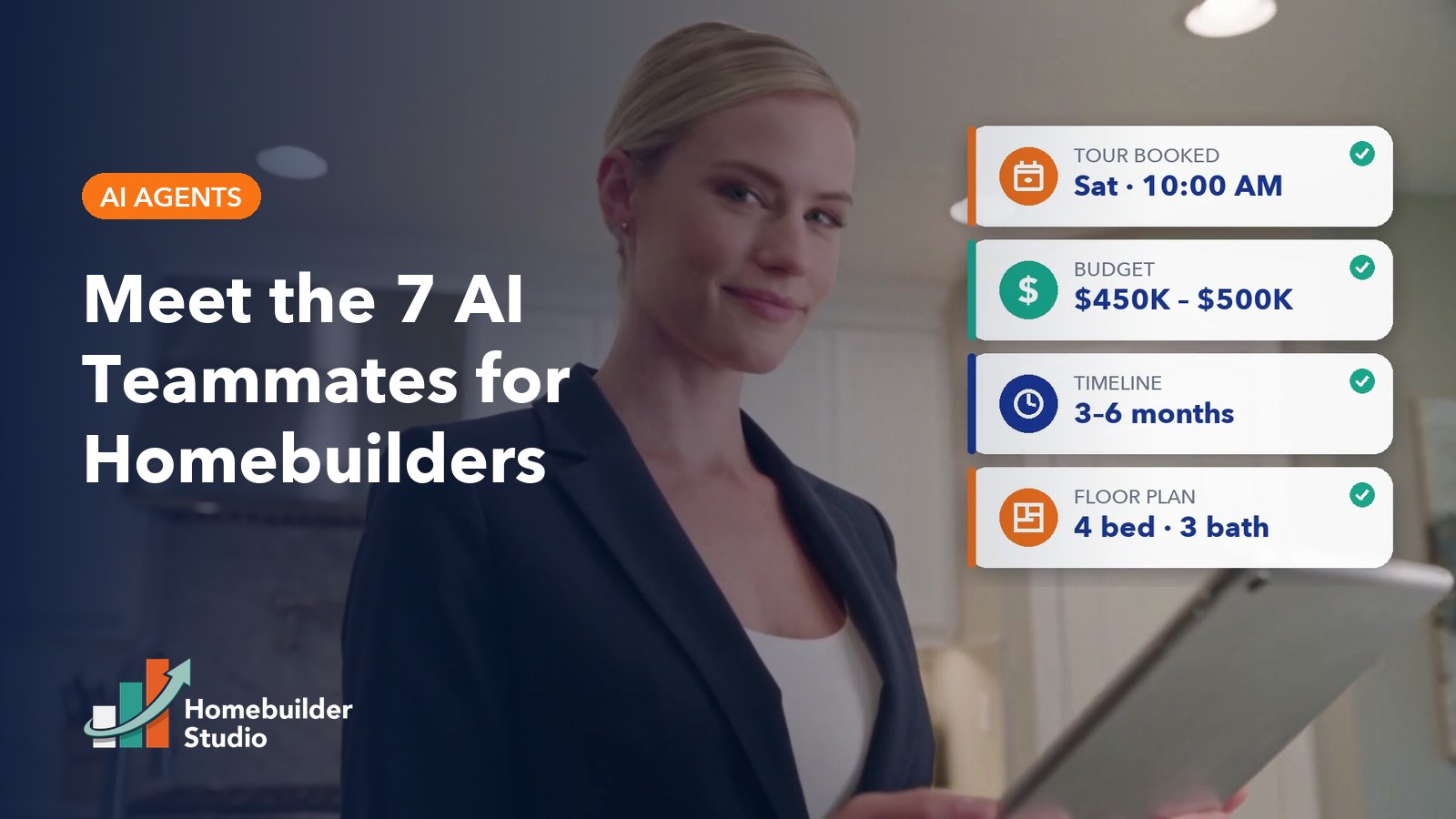
    The seven agents are the Lead Qualifier, Appointment Setter, Follow-Up Agent, Content Creator, Research Agent, Sales Coach and Realtor Support. Here is the quick view.

    AgentJobWhen it actsWhat it hands to a humanPlan tier
    Lead QualifierAnswers and qualifies every inbound buyer24/7 on phone, website chat, SMS, Facebook and InstagramA routed lead with community, timeline, price range and realtor status captured; live transfers on requestStarter and up
    Appointment SetterBooks tours into real calendar openingsThe moment a buyer is ready to visitA booked tour plus a briefing note on who is coming and what they wantStarter and up
    Follow-Up AgentNurtures new and quiet leadsDay 1, 3 and 7 cadences, after 30+ quiet days, and seconds after a missed callThe conversation the moment a buyer replies, plus tasks for leads that need a repProfessional and up
    Content CreatorDrafts blogs, community pages, email and social in your voiceOn request from your marketing teamDrafts for approval; nothing is auto publishedProfessional and up
    Research AgentMonitors competitor pricing, incentives and new communitiesContinuously, with alerts when your market changesComparisons and battle cards for your repsProfessional and up
    Sales CoachRuns AI role play and coachingOn demand, whenever a rep wants practiceFeedback after every session and coaching moments from real callsPremium
    Realtor SupportAnswers realtor questions on homes, specs, pricing and incentives24/7, whenever an agent asksRealtor inquiries routed separately from the buyer pipelinePremium

    What does an AI Lead Qualifier do for a homebuilder?

    An AI Lead Qualifier answers every inbound call and message instantly, has a real conversation about what the buyer wants, and routes the lead to the right community and rep with the context already captured. No more after hours leads that move on by morning.

    • Answers inbound calls, website chat, SMS, Facebook and Instagram messages 24/7.
    • Asks one question at a time: community interest, timeline, price range and realtor status.
    • Routes each lead to the right community and rep based on where the buyer wants to live.
    • Hands off to a live person on request, or transfers calls straight to the onsite rep.

    What does an AI Appointment Setter do for new home sales?

    An AI Appointment Setter reads your team’s real calendar availability, offers concrete tour times, and books the visit the moment the buyer accepts. It ends the phone tag that lets hot leads cool off between the first conversation and the model home.

    • Reads live availability from each rep’s or each community’s calendar.
    • Offers real open slots, books on acceptance, and confirms by text and email.
    • Sends 24 hour and 2 hour reminders and handles reschedules and cancellations.
    • Leaves the rep a briefing note: who is coming, what they want and what was promised.

    What does an AI Follow-Up Agent do for builder leads?

    An AI Follow-Up Agent runs personalized follow up on every lead automatically, re engages the ones that went quiet, and stops the instant someone replies so your rep can take over. It works the leads that would otherwise sit untouched in the CRM. For the strategy behind this, see CEA Marketing’s guide to AI lead follow up and CRM for home builders.

    • Runs a new lead cadence on day 1, 3 and 7 across email and SMS that stops the moment the buyer replies.
    • Re engages opportunities that have been quiet for 30 or more days with a personalized message.
    • Sends a missed call text back within seconds of a call your team could not answer.
    • Flags leads that need a rep’s attention and creates the task for them.

    What does an AI Content Creator do for a homebuilder’s marketing team?

    An AI Content Creator drafts blog posts, community pages, email campaigns and social content in your brand voice, grounded in your actual floor plans and communities. Every piece arrives as a draft for your approval, so a stretched marketing team gets speed without giving up control.

    • Writes blog posts, community pages, email campaigns and social captions in your voice.
    • Trained on your floor plans, your communities and the way you already talk about your homes.
    • Builds long term nurture email libraries once and reuses them across every community.
    • Delivers everything as a draft for approval; nothing is auto published.

    What does an AI Research Agent do for a homebuilder?

    An AI Research Agent monitors competitor pricing, incentives and new community launches, then turns that intelligence into comparisons and battle cards your reps can use. When a buyer names another builder, your salesperson has an answer ready instead of freezing.

    • Monitors competitor pricing, incentives and new community launches.
    • Builds side by side comparisons across plans, pricing and included features.
    • Provides battle cards reps can pull up on the spot when a buyer names a competitor.
    • Sends alerts when something changes in your market.

    What does an AI Sales Coach do for a new home sales team?

    An AI Sales Coach runs realistic role play built from your own communities, pricing and common objections, available on demand with feedback after every session. It gives new hires a way to ramp up and keeps experienced reps sharp without pulling managers away from the floor.

    • Role play scenarios built from your actual communities, pricing and common objections.
    • Practice for pricing pushback, “we’re also looking at another builder,” realtor conversations and financing questions.
    • Feedback after every session on what landed and what to try next time.
    • Call transcript reviews that surface coaching moments from real conversations.

    What does an AI Realtor Support agent do for a homebuilder?

    An AI Realtor Support agent gives real estate agents 24/7 answers on available homes, specs, pricing, incentives and your registration policy, delivered accurately with no waiting for a callback. Realtors who get fast answers keep selling your homes. CEA Marketing covers the bigger picture in its homebuilder realtor referral marketing strategy.

    • Instant answers on available homes, specs, pricing and current incentives.
    • Cobroke and buyer registration policy delivered accurately every time.
    • A realtor portal for registering buyers and checking status.
    • Realtor inquiries routed separately so they never clog the buyer pipeline.

    How do the AI agents work together on a single lead?

    The agents are not seven separate products. They share the same CRM, calendar and knowledge base, so every conversation, booking and note lands on the same contact record your reps already work from. A buyer who chats on the website, calls the next day and books by text is one contact with one history, not three leads in three systems. Here is how one lead moves from first message to tour to follow up.

    1. 10 PM, first message. A buyer opens website chat after your sales center has closed. The Lead Qualifier answers right away, asks which community interests them, their timeline, their price range and whether they are working with a realtor.
    2. Same conversation, tour booked. The buyer wants to see a model. The Appointment Setter offers real openings from the right rep’s calendar, books the tour, and confirms by text and email.
    3. By morning, in the pipeline. The lead is qualified, routed to the right community and rep, and waiting in the pipeline with a briefing note on who is coming and what they want.
    4. Before the tour. Reminders go out 24 hours and 2 hours ahead. If the buyer needs to reschedule, the agent handles it.
    5. At the tour, a human. Your onsite rep does what people do best: builds the relationship and walks the buyer through the home.
    6. After the tour. If the buyer goes quiet, the Follow-Up Agent keeps the conversation alive and stops the moment they reply, so your rep takes it from there.

    What guardrails keep AI agents safe to put in front of buyers?

    Every Homebuilder Studio agent answers only from your approved knowledge base, hands off to a person when a conversation goes off script, and starts in a supervised mode before going fully live.

    • Approved answers only. Pricing, incentives and community details come from your knowledge base with effective dates. Nothing is invented. If the answer is not there, the agent says so and offers a person. Update the knowledge base once and every agent is current.
    • Human handoff. Any agent hands off the moment a buyer asks for a person, gets frustrated, or raises something outside what it has been approved to discuss. Complaints, warranty issues, financing advice and requests for a human pause the AI and route to the right person with full context.
    • Supervised launch. Agents start in a supervised mode where your team sees every conversation, then go fully live once everyone is comfortable.
    • Honest about being AI. Every agent introduces itself as your AI assistant and never impersonates a real member of your team.
    • Respects opt outs and hours. Do not disturb settings, unsubscribes, quiet hours and frequency limits are enforced across every channel automatically.

    Which Homebuilder Studio plan includes which AI agents?

    Starter includes 2 AI agents, Professional includes 5, and Premium includes all 7. AI agents are included in the plan with no per user or per conversation fees, and founder pricing is available to the first 20 builders, locked in while they remain customers.

    PlanAI agents includedFounder pricingBuilt for
    Starter2: Lead Qualifier, Appointment Setter$495 per month1 community, up to 250 leads a month, 1 to 3 salespeople
    Professional5: adds Content Creator, Follow-Up Agent, Research Agent$697 per month2 to 5 communities, 250 to 1,000 leads a month, 4 to 8 salespeople
    PremiumAll 7: adds Sales Coach, Realtor Support$1,197 per month6 or more communities, 1,000 or more leads a month, 9 or more salespeople

    A one time setup fee is quoted during the demo. Full details, standard pricing and add ons are on the pricing page.

    Frequently asked questions about AI agents for homebuilders

    What are AI agents for homebuilders?

    AI agents for homebuilders are AI teammates trained on a builder’s communities, floor plans, pricing and sales process. They answer buyers on the phone, website chat, SMS and social messages, qualify leads, book tours, follow up and support realtors around the clock. In Homebuilder Studio, all seven agents share one CRM, one calendar and one knowledge base.

    Will AI agents replace my online sales counselor or sales reps?

    No. The agents handle the repetitive work that slips through the cracks: after hours responses, scheduling, reminders and follow up. Your reps get qualified, booked buyers with a briefing note, then do what people do best, which is building relationships and closing deals. As CEA Marketing puts it, AI doesn’t replace the human touch. It protects it.

    What happens when a buyer asks something the AI does not know?

    The agent says it does not have that answer and offers a person. Homebuilder Studio agents answer only from the builder’s approved knowledge base, so nothing is invented. Complaints, warranty issues, financing advice and direct requests for a human pause the AI and route the conversation to the right person with full context.

    Do Homebuilder Studio AI agents tell buyers they are AI?

    Yes. Every Homebuilder Studio agent introduces itself as the builder’s AI assistant and never impersonates a real member of the sales team. Buyers can ask for a person at any time, and the agent hands off immediately. Opt outs, quiet hours and frequency limits are also enforced across every channel automatically.

    Which Homebuilder Studio plan includes all 7 AI agents?

    The Premium plan includes all seven AI agents, with founder pricing of $1,197 per month. Starter includes the Lead Qualifier and Appointment Setter at $495 per month. Professional adds the Content Creator, Follow-Up Agent and Research Agent for five agents at $697 per month. Founder pricing is available to the first 20 builders.

    Are there per user or per conversation fees for the AI agents?

    No. AI agents are included in every Homebuilder Studio plan with no per user or per conversation fees. You pay the monthly plan price, and a one time setup fee is quoted during the demo. Founder pricing for the first 20 builders stays locked in for as long as the builder remains a customer.

    How long does it take to launch Homebuilder Studio AI agents?

    Single community builders are often live in about a month. Multi division builds take longer, and the timeline is mapped with you up front. Every account is configured around your communities and tested end to end with real scenarios, then agents start in a supervised mode where your team sees every conversation before going fully live.

    Can the AI agents work with the CRM we already use?

    Yes. Homebuilder Studio can run as the front door alongside your existing CRM or builder ERP, capturing, qualifying and routing every lead while your current system of record stays in sync. It can also replace your current CRM entirely, with migration handled as part of setup. Either way, the AI agents work from the same contact record.

    See your AI teammates working on your communities

    Book a demo and we will walk you through the full system using your communities, your pricing and your sales process as the example, from the 10 PM chat to the booked tour to the follow up that keeps a quiet buyer warm.

    Schedule your Homebuilder Studio demo and meet the seven AI teammates that keep every lead moving while your team focuses on the people.

  • What Is an AI Online Sales Counselor? A Guide for Homebuilders

    What Is an AI Online Sales Counselor? A Guide for Homebuilders

    An AI online sales counselor (AI OSC) is an AI teammate that handles the first conversation with a new home buyer. It answers calls, chats, texts and social messages around the clock, qualifies the buyer, books a tour into a real calendar opening, and hands the lead to a human sales counselor with full context.

    Builders know the human version of this job. The online sales counselor, or OSC, turns a web inquiry into a scheduled tour. The AI version takes on the parts of that job that break down after hours, at volume, or when one counselor covers several communities. The relationship still belongs to people.

    What does an AI online sales counselor do?

    An AI online sales counselor responds to every new home inquiry, gathers the details a sales team needs, and books the next step. Its job is the same as the first stage of a human OSC’s job: answer fast, qualify well, and get the buyer to a tour.

    In practice, a well built AI OSC covers five tasks:

    1. Answers on every channel. Phone, website chat, SMS, Facebook and Instagram, at any hour, including nights, weekends and holidays.
    2. Qualifies the buyer. It asks the questions your team would ask: which community, what timeline, what price range, and whether the buyer is working with a realtor.
    3. Books the tour. It schedules into real openings on your sales team’s calendar, not a request form someone has to call back about.
    4. Follows up. It keeps the conversation going with buyers who are not ready yet, and texts back a caller whose call was missed.
    5. Hands off with context. When a human needs to step in, the counselor or onsite rep sees the full conversation, the qualification answers and the booked time.

    The point is coverage, not replacement. Plenty of buyers shop at night and on weekends, when the sales office is closed, and an inquiry that waits until Monday is a buyer still browsing other builders. CEA Marketing has written about this gap in the 5 minute rule and why builders lose buyers.

    How is an AI OSC different from a website chatbot?

    A website chatbot answers questions in one window. An AI online sales counselor works the whole lead: it answers on every channel, qualifies the buyer, books into live calendars, writes everything to your CRM, and knows when to hand the conversation to a person.

    • Scope. A chatbot usually lives on the website. An AI OSC also answers the phone, texts and social messages, because buyers do not pick one channel.
    • Source of truth. A generic chatbot may improvise. An AI OSC should answer only from the builder’s approved knowledge base: communities, floor plans, pricing, incentives and policies. Anything outside it goes to a person.
    • Outcome. A chatbot ends with an answer. An AI OSC ends with a qualified lead, a booked tour and a clean record in the CRM.

    That is why we call these agents AI teammates. They carry part of the workload and report to the people who own the sale.

    AI OSC vs human OSC vs website chatbot: how do they compare?

    An AI OSC wins on hours, speed and volume. A human OSC wins on judgment, empathy and relationships. A website chatbot covers neither job well on its own. The strongest setup pairs an AI OSC with a human OSC or onsite rep.

    Capability AI online sales counselor Human online sales counselor Website chatbot
    Hours of coverage 24/7, including nights and weekends Business hours and scheduled shifts 24/7 on the website only
    Channels Phone, chat, SMS, Facebook, Instagram Phone, email, text, video calls Website chat
    Response to a new lead Immediate, on the channel the buyer used Depends on workload and hours Immediate, if the buyer stays in the chat window
    Handles many leads at once Yes Limited by one person’s day Yes, within the website
    Qualifies by community, timeline, price range, realtor Yes, consistently on every lead Yes, with more nuance Rarely, often a form
    Books tours into live calendars Yes Yes Sometimes, often a request form
    Builds long term relationships No, it hands off to people Yes, this is the core strength No
    Handles emotional or complex conversations Routes them to a human Yes No

    What are the alternatives to hiring another online sales counselor?

    When lead volume outgrows your OSC, builders have four realistic options: hire another OSC, outsource to an OSC service, stretch the onsite team to cover inquiries, or add an AI OSC that handles first response and booking so your existing people can focus on qualified buyers.

    1. Hire another OSC. The right move when you need more relationship capacity. It still leaves nights and weekends uncovered unless you staff shifts.
    2. Outsource to an OSC service. Adds trained people without hiring. Ask how they cover after hours and how leads get back into your CRM.
    3. Stretch the onsite team. Onsite reps answer web leads between walk ins. It works at low volume and tends to slip when the model is busy.
    4. Add an AI OSC. Covers after hours, speed and volume. Your human OSC or onsite reps receive booked tours and qualified buyers instead of a cold inbox.

    These options can be combined. For a deeper look at response speed, see CEA’s guide to AI lead response for homebuilders.

    What should an AI online sales counselor never do?

    An AI online sales counselor should never invent an answer, quote a price or incentive that is not approved, negotiate, make promises about contracts or financing, or keep a buyer away from a person who asks for one. Its job is to inform, qualify and book, then step aside.

    Set these guardrails in writing before you go live:

    • No improvising. Answers come only from the approved knowledge base. If the question is not covered, the AI says a team member will follow up and routes it.
    • No unapproved pricing or incentives. Pricing changes often. The AI should only state what you have approved for that community today.
    • No negotiating. Price, lot premiums and contract terms belong to your sales team.
    • No legal, lending or financial advice. Questions about financing, taxes or contract language go to the right person.
    • No pretending to be human. Buyers deserve to know when they are talking to an AI teammate.
    • No dead ends. When a buyer asks for a person, the handoff should be immediate and include the full conversation.
    AI doesn’t replace the human touch. It protects it.

    How do you evaluate an AI OSC before you buy?

    Evaluate an AI OSC on where its answers come from, how it hands off to people, which channels it covers, how it books tours, and how it fits your CRM. A strong demo uses your own communities and pricing, not a generic script.

    Questions to ask before you buy:

    • Where do the AI’s answers come from, and who approves that knowledge base?
    • What happens when a buyer asks something outside the knowledge base?
    • Does it answer the phone, or only chat and text? Does it cover Facebook and Instagram messages?
    • Does it book into real calendar openings for each rep or community?
    • How does the handoff work, and what does the human see when they pick up the lead?
    • Is there a supervised mode where your team reviews the AI’s conversations before it goes fully live?
    • Does it include a CRM, or does it sit on top of the one you already have? Can it run alongside Salesforce, Lasso or your ERP?
    • How are pricing and incentive updates made, and how fast do they take effect?
    • Are there per user or per conversation fees that grow as your lead volume grows?

    If a vendor cannot answer the first two clearly, keep looking.

    What does an AI OSC cost, and how long does setup take?

    AI OSC pricing varies widely, and many vendors only quote after a demo. Look at the full cost: monthly platform fee, setup, any per user or per conversation charges, and whether a CRM is included or must be paid for separately.

    Setup time depends on your communities, floor plans and lead sources. A responsible rollout starts the AI in supervised mode, with your team reviewing conversations, before it answers buyers on its own.

    As one reference point, Homebuilder Studio combines a homebuilder CRM, seven AI teammates and follow up automation in one system, configured for each builder. Founder pricing for the first 20 builders:

    • Starter: $495 per month with 2 AI agents
    • Professional: $697 per month with 5 AI agents
    • Premium: $1,197 per month with all 7 AI agents

    There are no per user or per conversation AI fees. Setup is quoted during the demo, and single community builders are often live in about a month. Full details are on the pricing page.

    The seven AI teammates are the Lead Qualifier, Appointment Setter, Follow-Up Agent, Content Creator, Research Agent, Sales Coach and Realtor Support. The first three do the core AI OSC work. See what each one does on the AI agents page.

    The platform also includes one inbox for every lead source, missed call text back, a weekly lead source audit and a realtor portal. It can run alongside Salesforce, Lasso or a builder ERP if you want to keep your current system of record.

    Frequently asked questions about AI online sales counselors

    What is an AI online sales counselor?

    An AI online sales counselor, or AI OSC, is an AI teammate that handles the first conversation with a new home buyer. It answers phone, chat, text and social inquiries around the clock, qualifies the buyer by community, timeline, price range and realtor status, books a tour into a real calendar opening, and hands the lead to a human with full context.

    Will an AI OSC replace my human online sales counselor?

    No. An AI OSC covers after hours inquiries, response speed and lead volume. Your human OSC or onsite sales rep still owns the relationship, the complex conversations and the path to contract. The best setup pairs the two, so your people spend their day on buyers who are already qualified and scheduled instead of chasing a cold inbox.

    How is an AI OSC different from a chatbot?

    A chatbot typically answers questions inside a website chat window. An AI online sales counselor works the entire lead across phone, chat, SMS, Facebook and Instagram. It answers only from the builder’s approved knowledge base, qualifies the buyer, books tours into live calendars, records everything in the CRM, and hands the conversation to a person when needed.

    What is the alternative to hiring another online sales counselor?

    Builders can hire another OSC, outsource to an OSC service, stretch onsite reps to answer web leads, or add an AI online sales counselor. An AI OSC handles first response, qualification and tour booking at any hour, so existing counselors and reps can focus on qualified buyers. Many builders combine one human OSC with an AI OSC.

    Can an AI OSC give buyers wrong pricing?

    It should not, if it is set up correctly. A well configured AI online sales counselor answers only from the builder’s approved knowledge base, including current pricing and incentives. Anything outside that knowledge base is routed to a person. Ask any vendor how pricing updates are approved and how quickly they reach the AI before you buy.

    Does an AI OSC work with Salesforce or Lasso?

    Some do. Homebuilder Studio includes its own homebuilder CRM and can also run alongside Salesforce, Lasso or a builder ERP, acting as the front door that answers, qualifies and books tours. When evaluating any AI OSC, ask whether it replaces your CRM, sits on top of it, or offers both options.

    How long does it take to set up an AI online sales counselor?

    It depends on the number of communities, floor plans and lead sources, plus how quickly your team approves the knowledge base. With Homebuilder Studio, single community builders are often live in about a month. The AI starts in supervised mode, where your team reviews its conversations, before it answers buyers fully on its own.

    How much does an AI OSC cost?

    Pricing varies, and many vendors quote only after a demo. Homebuilder Studio publishes founder pricing for the first 20 builders: $495 per month for Starter with 2 AI agents, $697 for Professional with 5, and $1,197 for Premium with all 7. There are no per user or per conversation AI fees, and setup is quoted during the demo.

    See an AI OSC built around your communities

    Homebuilder Studio is built by CEA Marketing Group, a Tampa Bay homebuilder marketing agency with three decades in the industry, founded by Kelly Bosetti Primeau. Every account is configured around the builder’s own communities, pricing and sales process, so the AI sounds like your team, not a software default. Read more on the about page.

    The best way to judge an AI online sales counselor is to watch it answer questions about your own communities, floor plans and pricing. Schedule a Homebuilder Studio demo and see the AI teammates answer, qualify, book tours and hand buyers to your team.